Sketch to SVG
Turn a freehand drawing into editable geometry without losing the character of its strokes. For scanning and page cleanup, see the scanned-drawing workflow.
Try image generation
Checking generation availability…
Supported inputs, styles and downloads appear only when the connected workflow reports them.
- Prepare your source
- Photograph the drawing straight on with even lighting. Identify construction lines that should not survive into the result.
- Check the result
- Compare tapered strokes and deliberate gaps with the source at the size you intend to use.
On this page
Choose centerlines or silhouettes before tracingResolve ambiguous marks in a reference copyMake a test edit before exportingPrepared artwork reference
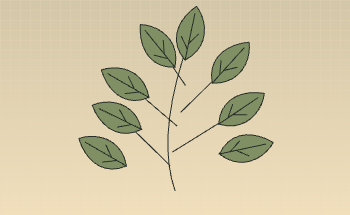

This reference illustrates the geometry. It is not a PicVec AI engine result.
Compare and download the referenceChoose centerlines or silhouettes before tracing
If the output should behave like a pen drawing, reproduce each line as a centerline with a stroke. If it should preserve a broad brush edge or act as a solid shape, draw the outline instead. Try one representative detail first so you can see whether the result edits and renders as intended.
Resolve ambiguous marks in a reference copy
Mark which lines are final and which are construction lines before you start. Decide what should happen where marks cross, whether a gap should close, and which overlaps belong in front. For a rough drawing, these choices are more reliable than letting every dark pixel determine the result.
Make a test edit before exporting
Hide the source, change the stroke width or fill of one object, and move another slightly. If related parts break apart or a hole becomes painted over, reorganize the paths. Export an SVG and reopen it independently to make sure the reference layer and working annotations were left out.
Common questions
Why does an outlined pencil line look hollow in outline view?
Tracing the outside of a thick mark creates two sides of a filled shape. If you need one editable pen path, draw down the center and assign a stroke.
Is automatic tracing in another editor a good starting point?
It can be for high-contrast silhouettes. For faint or overlapping strokes, manual redrawing usually gives you more control over which marks survive.