Line Art for Coloring Books
A coloring page needs to read without shading and leave enough room for the intended coloring tools. Let the white space do some of the work instead of filling every area with detail.
On this page
Draw for the person holding the pencilMake coloring boundaries easy to followTest the page on paperPrepared artwork reference
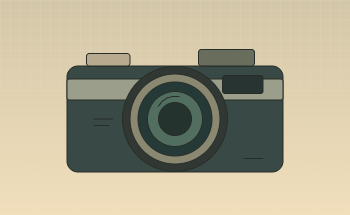

This reference illustrates the geometry. It is not a PicVec AI engine result.
Compare and download the referenceDraw for the person holding the pencil
For younger readers, start with a large subject and broad regions. For a more intricate page, add detail in selected areas and leave some larger spaces for contrast. Check the narrowest spaces with the tool you expect readers to use.
Make coloring boundaries easy to follow
Use a stronger outer contour and lighter interior lines. At overlaps, stop the hidden contour at the foreground edge. Close regions that are meant to be colored separately, but leave accent marks such as fur strokes open if they are not boundaries.
Test the page on paper
Print without fit-to-page scaling and color a few difficult areas yourself. Check whether thin lines disappear, nearby lines merge, or details sit too close to the binding. If the book is meant for markers, test the planned paper and check for bleed-through.
Common questions
Does every line need to form a closed shape?
No. A whisker can be an open stroke. Close the regions you intend readers to fill separately, especially if you also plan to offer a digital fill version.
Should I send SVG or PDF to a book printer?
Ask for the printer’s interior-file specifications. Keep an editable drawing master and, if the printer requests PDF, export it from the layout with the required page size and margins.