SVG Reference Artwork for Tattoos
A vector drawing makes a tattoo concept easy to resize and revise before an appointment. It is reference artwork, not a finished transfer stencil or an instruction for a tattoo machine. The artist decides what to adapt for the placement.
On this page
Give the artist a size and placement referenceSeparate essential outlines from optional detailSend an editable reference and a flat proofPrepared artwork reference
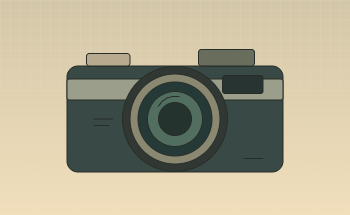

This reference illustrates the geometry. It is not a PicVec AI engine result.
Compare and download the referenceGive the artist a size and placement reference
Mark the approximate finished dimensions and orientation on a separate mockup. If you are comparing placements, make two versions rather than distorting the master drawing to match a photo.
Separate essential outlines from optional detail
Keep outlines, shading, and optional decoration on distinct layers. Print at the intended size and circle the tight gaps, tiny letters, or dense hatching you are willing to simplify. Ask the artist which details will read well for that placement.
Send an editable reference and a flat proof
Share the SVG if the studio accepts it and attach a PDF or PNG showing the intended appearance. Label the orientation on the proof and leave transfer sizing, mirroring, and stencil preparation to the artist.
Common questions
Should I mirror the SVG before sending it?
Send the artwork as you want it to appear unless the artist asks for a mirrored copy. The studio can mirror it for its transfer process if needed.
Can I send a shaded drawing as well as the linework?
Yes. Send both so the artist can distinguish the requested shading from the edges that define the design.